When you look for a 5G SIM card WiFi router, you want confidence that it will deliver high-speed connectivity and keep up with your needs. Whether you’re considering a vehical wifi router or exploring openwrt compatible routers, it’s important to check compatibility, Wi-Fi speed, coverage, and device support. Choosing a router from a trusted industrial router manufacturer, lte router manufacturero fabricante de routers 5g—such as HUASIFEI—ensures better stability, performance, and long-term reliability.5g connectivity is changing fast—just see the numbers below:
| Métrica | Valor | Impacto |
|---|---|---|
| Velocidad de datos máxima | Hasta 20 Gbps | 100 veces más rápido que 4G LTE |
| Latencia | Menos de 1 ms | Wi-Fi en tiempo real y aplicaciones |
| Conexiones mundiales 5G (2023) | Más de 1.500 millones | Demanda masiva de routers |
You also want strong wi-fi security and a trusted brand. HUASIFEI’s advanced wi-fi solutions and ongoing innovation in 5g router technology help you enjoy high-speed internet at home, in the office, or on the go.
Tarjeta SIM 5G Router WiFi Básico
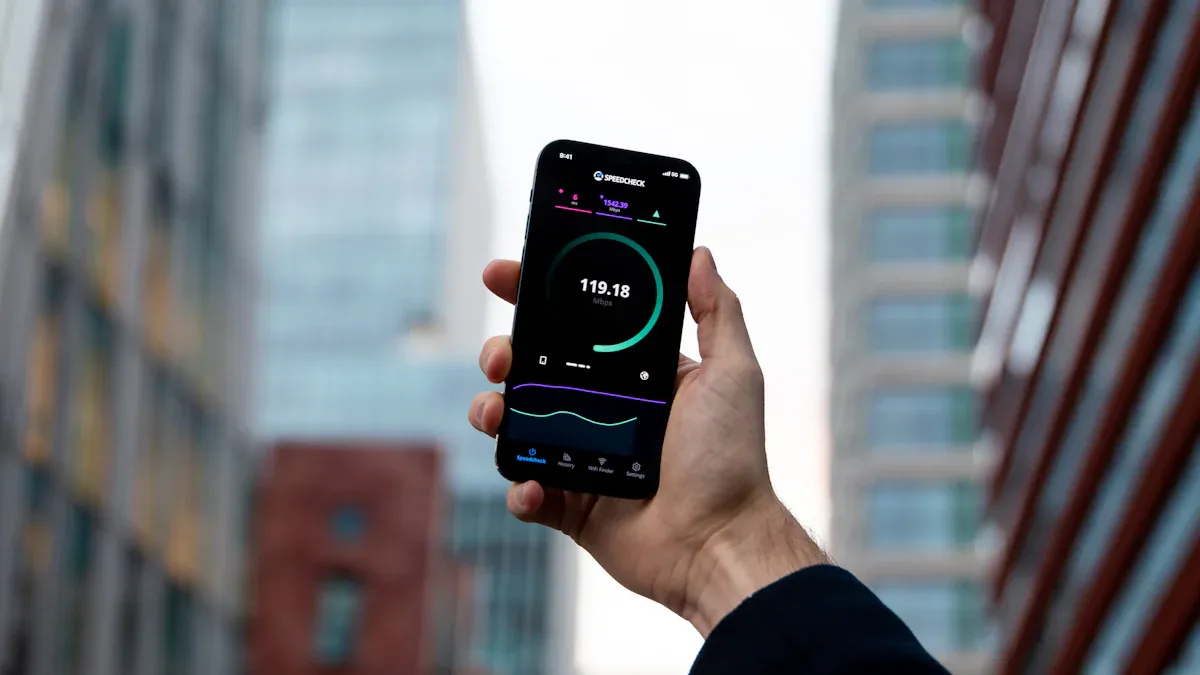
Qué es un router WiFi con tarjeta SIM 5G
Un router wifi con tarjeta sim 5g es un dispositivo que te permite conectarte a Internet mediante una tarjeta sim 5g, igual que lo hace tu teléfono. Introduces una tarjeta SIM y el router utiliza redes 5g para llevar wifi a tu casa, oficina o incluso a tu coche. Esto significa que puedes obtener wi-fi rápido sin necesidad de una conexión por cable o fibra.
Esto es lo que hace especial a un router sim 5g:
- It supports both 5G NSA and SA modes, so you get broad network compatibility.
- Tendrás wi-fi de doble banda (2,4 GHz y 5,8 GHz) con velocidades de hasta 1167 Mbps.
- El router dispone de varios protocolos VPN como IPSec, PPTP, L2TP y OpenVPN para proteger los datos.
- Muchos routers 5g sim vienen con carcasas metálicas resistentes y pueden funcionar en entornos difíciles.
- Encontrará varios puertos Gigabit Ethernet y distintos tipos de ranuras para tarjetas SIM.
- Las antenas de alta ganancia reducen las interferencias y aumentan la cobertura Wi-Fi.
- Puedes gestionar el dispositivo localmente o a través de la nube, lo que facilita la configuración y las actualizaciones.
Con un router wifi de tarjeta sim 5g, puede disfrutar de wi-fi en casi cualquier lugar donde tenga señal 5g. HUASIFEI lidera el camino con avanzados CPE 5g y routers wi-fi para coche, mostrando lo que es posible con la última tecnología.
Por qué elegir un router 5G con tarjeta SIM
Te preguntarás por qué elegir un router 5g con tarjeta sim en lugar de un router normal. La respuesta es flexibilidad y velocidad. Un router 5g sim te ofrece wi-fi allí donde lo necesites, incluso si vives en una zona rural o viajas a menudo.
Here are some common ways people use a 5g sim router:
- Consigue Internet doméstico 5g en lugares donde no llega el cable o la fibra.
- Úsalo como copia de seguridad de tu Internet principal, para no quedarte nunca sin wi-fi.
- Instale wi-fi en su coche, vehículo recreativo o incluso en un barco para viajar y vivir aventuras.
- Lleve una conexión wi-fi rápida a eventos, tiendas pop-up u obras.
- Manténgase conectado mientras trabaja a distancia o sobre la marcha.
A 5g sim router delivers faster data speeds and lower latency than older options. You can connect many devices at once, stream videos, play games, or run smart home gadgets with no lag. The router keeps your data safe with strong security features, and you don’t need to worry about complicated wiring.
Los routers wifi con tarjeta sim 5g de HUASIFEI destacan por combinar un potente wi-fi, conexiones de datos fiables y una gestión sencilla. Tanto si desea internet doméstico 5g como wi-fi para su negocio, obtendrá una solución preparada para el futuro.
Características clave para comparar
Cuando compre un router 5g sim, asegúrese de que se ajusta a sus necesidades. No todos los routers son iguales. Algunos ofrecen mejor conectividad 5g, mayor velocidad de transferencia de datos o funciones de seguridad más potentes. Veamos los aspectos más importantes que debes tener en cuenta.
Compatibilidad de redes
Lo primero que debes comprobar es la compatibilidad de la red. Tu router 5g sim debe ser compatible con las bandas y tipos de red utilizados por tu operador. Si eliges el que no es, puede que no consigas velocidades 5g o ni siquiera conexión. Algunos routers están desbloqueados y funcionan con cualquier tarjeta SIM, mientras que otros están bloqueados para determinados operadores o regiones.
Here’s a quick comparison of network compatibility across popular 5g sim routers:
| Modelo | Soporte 5G | Wi-Fi estándar | Compatibilidad con tarjetas SIM | Conectores celulares | Características especiales |
|---|---|---|---|---|---|
| Enrutador CPE 5G de HUASIFEI | Sí | Wi-Fi 6 | Doble SIM | Múltiples | Cambio automático de SIM, bandas globales |
| Peplink MAX BR2 Pro 5G(K) | Sí | Wi-Fi 6 | Doble SIM | Múltiples | Multi-WAN de nivel empresarial |
| Netgear Nighthawk M5 | Sí | Wi-Fi 6 | SIM única | Único | Portátil, fácil de transportar |
| TP-Link Deco X80-5G | Sí | Wi-Fi 6 | SIM única | Único | Soporte de malla, uso doméstico |
| Cradlepoint IBR1700 | No | Wi-Fi 5 | SIM única | Único | Sólo 4G, uso en vehículos |
You can see that HUASIFEI stands out with dual SIM support and automatic switching. This means you get reliable connectivity even if one network goes down. Always check if your 5g sim router supports your carrier’s bands and offers global compatibility.
- Algunos routers ofrecen conmutación por error de doble SIM, bloqueo de banda y compatibilidad global con SIM. Estas funciones te dan más flexibilidad y mejor cobertura 5g.
Bandas 5G y compatibilidad con tarjetas SIM
No todos los routers 5g sim soportan todas las bandas 5g. La banda de 2,4 GHz ofrece mayor alcance, pero puede estar saturada. La banda de 5GHz ofrece velocidades de transferencia de datos más rápidas y menos interferencias, pero el alcance es menor. Algunos routers avanzados admiten incluso la tribanda para ofrecer más opciones.
- Las ranuras dobles para tarjetas SIM te permiten usar dos redes a la vez. Es ideal para viajeros o para cualquiera que necesite conectividad 5g de reserva.
- Carrier certification matters. Make sure your 5g router is certified for your network provider to get the best data transfer speeds and reliable connectivity.
- HUASIFEI colabora con los mejores fabricantes de chips como Mediatek y Qualcomm para garantizar una gran compatibilidad y una conectividad de alta velocidad.
Consejo: Los routers de doble SIM con conmutación automática mantienen el wifi en funcionamiento aunque una SIM pierda la señal. Esto es perfecto para negocios o trabajo remoto.
Velocidad y rendimiento
La velocidad y el rendimiento es lo que más preocupa a la gente. Quieres conectividad de alta velocidad para streaming, juegos o videollamadas. Los mejores routers 5g sim pueden alcanzar velocidades de transferencia de datos de hasta 10 Gbps en condiciones ideales. Las velocidades reales dependen de tu red, de la intensidad de la señal y del número de dispositivos que conectes.
- Peak throughput for high-end routers can hit 10 Gbps.
- La transferencia de datos en tiempo real es posible con baja latencia, lo que es clave para los juegos o las videollamadas.
- Busque routers con controles de calidad de servicio (QoS) para gestionar el tráfico y mantener una conexión fluida.
Los routers 5g sim de HUASIFEI utilizan antenas avanzadas y potentes conjuntos de chips para ofrecer rápidas velocidades de transferencia de datos y baja latencia. Obtendrás una conectividad fiable incluso en entornos con mucho tráfico.
Wi-Fi 6 y MU-MIMO
Wi-Fi 6 es el último estándar y una gran mejora con respecto a Wi-Fi 5. Admite mayores velocidades de transferencia de datos, mayor eficiencia energética y más dispositivos a la vez. MU-MIMO (Multi-User, Multiple-Input, Multiple-Output) permite al router comunicarse con varios dispositivos a la vez, para que todo el mundo disfrute de una Wi-Fi rápida.
- Wi-Fi 6 supports speeds up to 9.6 Gbps.
- MU-MIMO and OFDMA help your 5g sim router handle lots of devices without slowing down.
- Wi-Fi 6E and Wi-Fi 7 push these features even further, but Wi-Fi 6 is already a huge step up.
HUASIFEI’s 5g sim routers with Wi-Fi 6 and MU-MIMO give you high-speed internet for all your gadgets, even in crowded homes or offices.
Cobertura y antenas
El alcance y la cobertura importan si quieres wi-fi en todos los rincones. Las antenas avanzadas y la tecnología beamforming ayudan a tu router 5g sim a enviar datos donde más los necesitas. Algunos routers admiten hasta 64 dispositivos a la vez y cubren grandes hogares u oficinas.
- The density of 5g base stations and signal quality affect your 5g coverage.
- Beamforming focuses the signal for better range and coverage.
- Las antenas externas pueden aumentar la cobertura de tu wifi y ayudarte en lugares difíciles.
HUASIFEI utiliza antenas de alta ganancia y procesamiento inteligente de la señal para ofrecerte una cobertura 5g potente y una conectividad fiable, incluso en espacios grandes.
Conexiones de dispositivos
Seguro que tienes muchos dispositivos: teléfonos, portátiles, televisores inteligentes y muchos más. Un buen router 5g sim debería poder manejarlos todos sin retrasos. La tecnología MIMO utiliza varias antenas para enviar datos a muchos dispositivos a la vez, lo que aumenta la capacidad y la fiabilidad.
- Massive MIMO can connect thousands of devices, perfect for offices or smart homes.
- La formación de haces reduce las interferencias y mantiene estable la conexión Wi-Fi.
- La transferencia de datos en tiempo real se mantiene fluida, incluso con muchos usuarios.
Los routers de HUASIFEI están diseñados para una alta densidad de dispositivos, por lo que obtendrá una conectividad estable y de alta velocidad independientemente del número de gadgets que utilice.
Seguridad
Las funciones de seguridad protegen tus datos y tu privacidad. Los routers 5g sim modernos utilizan un cifrado potente, comprobaciones de integridad y autenticación para mantener alejados a los piratas informáticos. Busca routers compatibles con VPN, WPA3 y actualizaciones periódicas del firmware.
- Encryption and integrity protection stop eavesdropping and data tampering.
- IPSec, OpenVPN y otros protocolos mantienen tus datos a salvo.
- Los routers industriales necesitan funciones de seguridad adicionales para los datos confidenciales.
Los routers sim 5g de HUASIFEI incluyen funciones de seguridad avanzadas, como múltiples opciones de VPN y actualizaciones periódicas, para que tus datos estén seguros.
Características adicionales
Algunos routers 5g sim ofrecen funciones adicionales que facilitan la vida. Por ejemplo, control parental, filtrado de contenidos, informes de actividad del usuario y protección antivirus. También puedes encontrar soporte de malla, puertos USB o una sencilla gestión basada en aplicaciones.
| Característica | HUASIFEI 5G CPE | Netgear Nighthawk M5 | TP-Link Deco X80-5G |
|---|---|---|---|
| Control parental | Sí | Sí | Sí |
| Soporte VPN | Sí | Sí | Sí |
| Wi-Fi en malla | Sí | No | Sí |
| Gestión de aplicaciones | Sí | Sí | Sí |
| Antivirus/Filtrado de contenidos | Sí | Sí | Sí |
Los routers de HUASIFEI incluyen estos extras, lo que le proporciona más control y tranquilidad.
Nota: Compruebe siempre las actualizaciones periódicas del firmware y la asistencia al cliente. HUASIFEI ofrece un sólido servicio postventa y sencillas guías de configuración.
Elegir el router 5g sim adecuado significa tener en cuenta todas estas características. Cuando compare modelos, piense en sus necesidades de conectividad 5g, velocidades de transferencia de datos, funciones de seguridad y cobertura wifi. La sólida I+D de HUASIFEI y su reputación mundial la convierten en una elección inteligente para cualquiera que desee Internet de alta velocidad y una conectividad fiable.
Comparación de los mejores routers SIM 5G
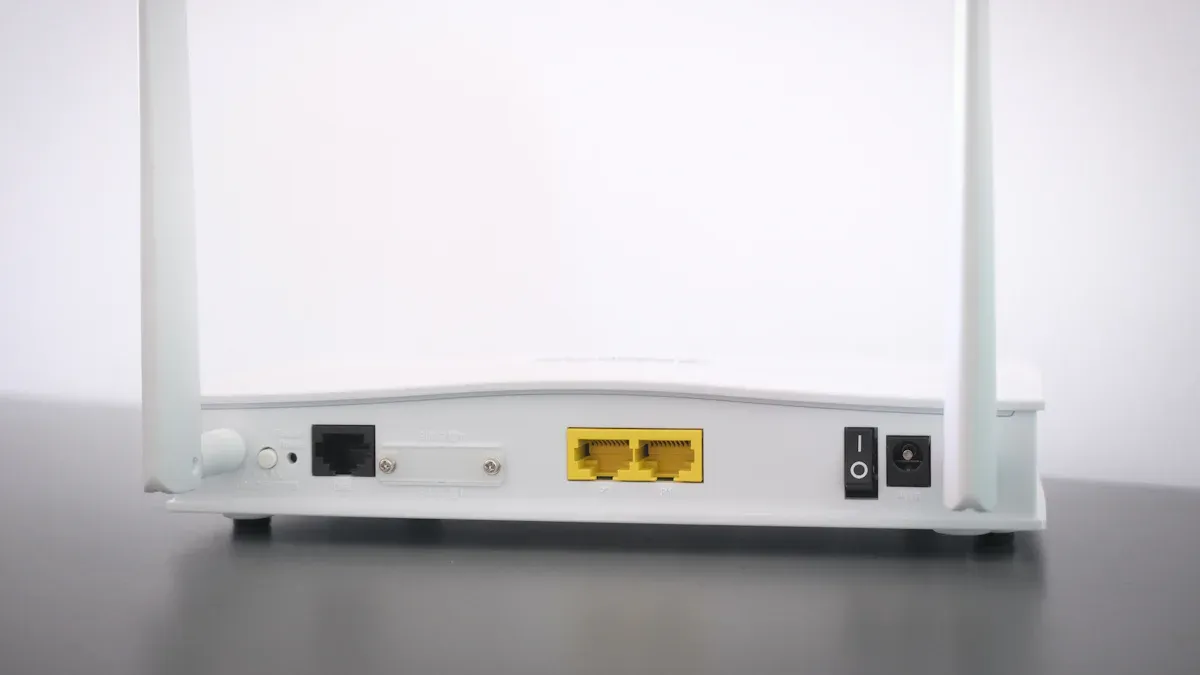
Cómo elegir el mejor router SIM 5G
Elegir el mejor router 5g sim puede resultar abrumador, pero puede dividirlo en sencillos pasos. Quieres un dispositivo que se adapte a tus necesidades, funcione con tu operador y te ofrezca una conexión Wi-Fi rápida y segura. Aquí tienes una guía paso a paso que te ayudará a encontrar el más adecuado:
Comprobar el soporte de red
Make sure your 5g sim router supports both 5G and 4G LTE. This way, you always have coverage, even if 5G is not available in your area.Busque el último estándar Wi-Fi
Wi-fi 6 es el nuevo estándar. Te ofrece velocidades más rápidas, mejor alcance y permite conectar más dispositivos a la vez. Si quieres el mejor router 5g sim, elige uno con wi-fi 6.Tecnología MIMO
MIMO (Multiple-Input, Multiple-Output) ayuda a que tu wi-fi llegue a más habitaciones y dispositivos. El mejor router 5g sim utiliza esta tecnología para aumentar el rendimiento.Contar los puertos
¿Necesitas conectar un ordenador o un televisor inteligente? Compruebe si hay puertos Ethernet y USB. Algunos routers ofrecen varios puertos para conexiones por cable y dispositivos adicionales.Piense en la portabilidad
Si viaja o se desplaza mucho, la duración de la batería importa. Algunos routers 5g sim son portátiles y duran horas sin cargarse.Centrarse en la seguridad
Quiere que sus datos estén seguros. Busca routers con cifrado potente, compatibilidad con VPN y actualizaciones periódicas.Adapte el router a sus necesidades
- Usuarios avanzados y jugadores: Apuesta por el router 5g sim más rápido con wi-fi 6, MIMO potente y varios puertos Ethernet.
- Trabajadores a distancia: Elige un router con seguridad avanzada y wi-fi estable.
- Viajeros: Elige un router sim 5g portátil con batería de larga duración y compatibilidad dual 5G/4G.
- Compradores con presupuesto ajustado: Busque un router que equilibre prestaciones y precio.
Sugerencia: Los routers 5g sim de HUASIFEI destacan porque combinan wi-fi avanzado, fuerte seguridad y compatibilidad global. Obtendrá un dispositivo que funciona en casi cualquier lugar y mantiene sus datos seguros.
Comparación de los mejores modelos
Now, let’s compare some of the best 5g sim router models. You want to see how they stack up in real-world use. Technical specs matter, but user feedback and reviews help you spot the best 5g sim router for your situation.
Aquí tienes una tabla con las principales características de los mejores modelos:
| Modelo de router | Velocidad 5G (Gbps) | Categoría 4G | Conectores de antena | Wi-Fi estándar | Puertos Ethernet | Características adicionales |
|---|---|---|---|---|---|---|
| HUASIFEI 5G CPE | Hasta 4,67 | CAT20 | x4 | Wi-Fi 6 | 4 | Dual SIM, VPN, Mesh, gestión de aplicaciones |
| FWA02 | Hasta ~5 | CAT19 | x6 | Wi-Fi 6 | 2 (2,5 Gbps) | Gestión remota, diseño compacto |
| RUTM52 | Muy alta | CAT20 | x8 | N/A | N/A | Dual SIM, eSIM, GPS, gestión remota |
| Netgear Nighthawk M5 | Hasta 4 | CAT22 | x2 | Wi-Fi 6 | 1 | Portátil, Batería, App Control |
| TP-Link Deco X80-5G | Hasta 3,6 | CAT20 | x2 | Wi-Fi 6 | 2 | Malla, Control parental |
Puedes ver que el router 5g sim de HUASIFEI ofrece una fuerte mezcla de velocidad, puertos y características adicionales. La compatibilidad con doble SIM y el Wi-Fi en malla lo convierten en la mejor elección para hogares y empresas. El FWA02 destaca por sus rápidas velocidades y su gestión remota, mientras que el Netgear Nighthawk M5 es ideal para viajar gracias a su batería integrada.
Cuando leas las opiniones, fíjate en estos puntos:
- Velocidad en el mundo real: Users often share their actual download and upload speeds. For example, some report over 500 Mbps on 5G networks.
- Cobertura y alcance: Averigua si la gente menciona wi-fi potente en todas las habitaciones o si necesitan antenas adicionales.
- Facilidad de instalación: Muchos usuarios quieren un router fácil de configurar y gestionar. HUASIFEI obtiene buenas puntuaciones por su sencilla aplicación y sus claras guías.
- Fiabilidad: Comprueba si el router mantiene una conexión estable, incluso con muchos dispositivos.
- Atención al cliente: Un buen soporte marca una gran diferencia. El equipo de servicio global de HUASIFEI ayuda a usuarios de más de 30 países.
Nota: La mayoría de los routers sim 5g más valorados utilizan los últimos chipsets de módem y son compatibles tanto con 5G como con 4G LTE. Esto significa que dispondrás de wifi rápido y datos fiables, aunque tu zona aún no tenga cobertura 5G total.
Si quieres el mejor router 5g sim, céntrate en el rendimiento real, no sólo en las especificaciones. Lea los comentarios de los usuarios para ver cómo funciona el router en la vida diaria. La sólida I+D de HUASIFEI y su reputación mundial se traducen en un dispositivo que se adapta a sus necesidades, tanto si trabaja como si juega o viaja.
Lista de comprobación para el router 5G con tarjeta SIM
Características imprescindibles
Si quieres el mejor router 5g sim, debes fijarte en las características que marcan la diferencia. Aquí tienes una rápida lista de comprobación que te ayudará a identificar un buen router 5g sim:
| Característica | En qué fijarse |
|---|---|
| Compatibilidad del módem 5G | Admite las bandas 5G de tu operador para ofrecer wi-fi potente y velocidades de datos rápidas |
| Wi-Fi de doble banda | Ofrece tanto 2,4 GHz como 5 GHz para una mejor cobertura y menos congestión |
| Compatibilidad con Wi-Fi 6 | Handles more devices and boosts wi-fi speed up to 3000 Mbps |
| Puertos Gigabit Ethernet | Permite conectar ordenadores o televisores inteligentes para obtener conexiones de datos estables |
| Soporte VPN | Mantiene tus datos privados y seguros |
| Redes malladas | Amplía la cobertura wi-fi a todos los rincones de tu casa u oficina |
| Control parental | Le ayuda a gestionar el acceso wi-fi y a filtrar contenidos |
| Calidad de servicio (QoS) | Prioriza los datos importantes como los juegos o las videollamadas |
| Protecciones de seguridad | Incluye cortafuegos, prevención de intrusiones y protección de datos en tiempo real |
| Diseño resistente | Funciona bien en entornos difíciles, tanto en interiores como en exteriores |
Consejo: El mejor router 5g sim debe soportar hasta 128 dispositivos, tener un sistema de refrigeración sin ventilador y ofrecer respaldo global 5G y 4G para wi-fi y datos fiables en cualquier lugar.
Preguntas
Antes de elegir un router 5g sim, hazte estas preguntas para asegurarte de que se adapta a tus necesidades:
- ¿Es compatible el router 5g sim con todas las bandas 5G y 4G utilizadas por tu operador?
- ¿Cuántos dispositivos piensas conectar al wi-fi a la vez?
- Do you need mesh networking to cover a large area with strong wi-fi?
- Will you use the router for gaming, streaming, or remote work that needs fast, stable data?
- Does the router offer strong security features to protect your data and wi-fi network?
- Is the setup process simple, and does the router come with clear instructions?
- Can you monitor and manage your wi-fi and data usage easily through an app?
- Does the router have a rugged design if you need it for outdoor or industrial use?
- Are there enough Ethernet ports for your wired devices?
- Does the router support VPN for private and secure data connections?
If you answer yes to most of these, you’re on your way to finding the best 5g sim router for your home, office, or travel needs. Always check real-world wi-fi speed, data performance, and customer reviews before you decide.
Common Mistakes
When you shop for a 5g sim router, it’s easy to make mistakes that can slow down your wi-fi or put your data at risk. Let’s look at the most common errors and how you can avoid them.
Problemas de compatibilidad
Many people buy a 5g sim router without checking if it matches their carrier’s network. If your router doesn’t support the right frequency bands, your wi-fi may not work at all. You might see slow data speeds or even lose your connection. Some users forget to insert the SIM card correctly or skip setting up the APN. This can block your 5g sim router from registering on the network. Always double-check that your router supports your carrier’s 5g and 4g bands. Make sure you insert the SIM card properly and enter the correct APN settings. If you notice your wi-fi is not working, try reseating the SIM card or moving your 5g sim router to a better spot.
Tip: If you travel, pick a 5g sim router with global band support. This way, your wi-fi and data stay strong wherever you go.
Ignoring Security
You might think your 5g sim router is safe out of the box, but ignoring security features can put your data in danger. Many people skip setting up a strong password or forget to turn on encryption. This leaves your wi-fi open to hackers. Some users don’t update their router’s firmware, missing out on new security features. Always set a unique password and enable all available security features. Use VPN support to protect your data. Update your 5g sim router’s firmware often to keep your wi-fi and data safe.
- Set up WPA3 or the highest security features your 5g sim router offers.
- Turn on firewalls and use parental controls to protect your data.
- Check for firmware updates every month.
Underestimating Coverage
You might place your 5g sim router in a corner or behind furniture. This can block your wi-fi signal and create dead zones. If your wi-fi signal is weak, your data speeds will drop. Studies show that routers placed low or near walls lose coverage. Central, high placement (about 4-6 feet up) gives you better wi-fi and data performance. Physical barriers like concrete or metal can weaken your wi-fi. Electronics and other wi-fi networks can also cause interference.
| Placement Type | Coverage (%) | Connectivity Ratio (%) |
|---|---|---|
| Central, Elevated | 91.69–99.78 | 0.085–0.168 |
| Corner/Obstructed | 85.31–95.55 | 0.071–0.133 |
Move your 5g sim router to a central spot. Keep it away from thick walls and electronics. This helps your wi-fi reach every room and keeps your data flowing fast.
Note: Monitor your data usage. If you go over your plan, you might face extra fees. Use your 5g sim router’s app to track wi-fi and data in real time.
Setting Up Your 5G SIM Router
Getting your 5g sim router up and running is easier than you might think. You just need to follow a few simple steps to enjoy fast wi-fi and secure data connections. Let’s walk through the process together.
Instalación de la tarjeta SIM
Start by making sure your 5g sim router supports the type of SIM card you have, usually a nano-SIM. Most routers have a clear slot for the SIM card. Insert it gently until it clicks into place. If your 5g sim router has dual SIM slots, you can use two different carriers for backup. This helps you keep wi-fi and data flowing even if one network drops. Always check that your SIM card is active and has a data plan. If you need help, HUASIFEI’s support team can guide you through the process.
Optimizing Placement
Where you put your 5g sim router makes a big difference. Place it in a central spot in your home or office. Keep it away from thick walls, metal objects, and other electronics that might block the wi-fi signal. Elevate the router on a shelf or table for better coverage. If your 5g sim router has external antennas, adjust them to point in different directions. This boosts wi-fi strength and helps your data reach every corner. For large spaces, look for routers with mesh networking or beamforming features.
Tip: A central, high spot gives you the best wi-fi and data performance. Avoid hiding your 5g sim router in a cabinet or behind furniture.
Firmware and Security Updates
You want your 5g sim router to stay safe and run smoothly. Check for firmware updates as soon as you finish setting up your 5g sim router. Updates fix bugs, add new features, and improve wi-fi security. Turn on automatic updates if your router supports it. Set a strong password for your wi-fi and use WPA3 encryption if available. Enable the built-in firewall and VPN support to protect your data. HUASIFEI routers make it easy to update firmware and manage security settings through their app or web interface.
Using Support Resources
If you run into any issues, don’t worry. HUASIFEI offers detailed setup guides, video tutorials, and a helpful customer support team. You can find answers to common questions on their website or reach out by email or phone. Their experts can help you with wi-fi setup, data usage monitoring, and troubleshooting. Many 5g sim router models also include an app for easy management. Use it to check wi-fi status, track data usage, and adjust settings on the go.
Note: Keeping your 5g sim router updated and well-placed ensures you get the fastest wi-fi and the most secure data connection possible.
You want the best 5g sim router for your needs. Look at wi-fi speed, coverage, and security. Use the checklist to compare wi-fi features and see which 5g sim router fits your lifestyle. HUASIFEI gives you advanced wi-fi, strong support, and reliable performance. Take a moment to review your wi-fi needs. Compare each 5g sim router before you buy. The right choice will keep your wi-fi fast and secure every day.
PREGUNTAS FRECUENTES
How do I know if my SIM card will work with a 5G router?
Check your carrier’s supported 5G and 4G bands. Your SIM card must match the router’s network compatibility. Most unlocked routers, like HUASIFEI, support global bands. If you’re unsure, ask your carrier or check the router’s specs.
Can I use a 5G SIM router for gaming and streaming?
Yes! A 5G SIM router gives you fast speeds and low latency. You can stream HD videos, play online games, and join video calls without lag. For the best experience, pick a router with Wi-Fi 6 and strong antennas.
How many devices can I connect to a 5G SIM router?
Most 5G SIM routers handle 32 to 128 devices at once. HUASIFEI routers support high device counts, so you can connect phones, laptops, smart TVs, and more. Check your router’s specs for the exact number.
What should I do if my 5G signal is weak?
Try moving your router to a higher, central spot. Keep it away from thick walls and metal objects. Adjust the antennas for better coverage. If you still have issues, consider using an external antenna or mesh system.